

You’ve got something to say about podcasts and you want your readers to hear the shows for themselves. RadioPublic’s user-friendly embed player has you covered. Just look at (or better yet, listen to) this beauty:

OK, great — but how do you get these show and episode embeds into your WordPress posts (or pages)? It’s a pretty straightforward copy-and-paste job, but here are the step-by-step instructions:
Psst… want to embed podcasts on a different platform? Here are the instructions for Medium, Squarespace, and all other publishing platforms.
1 Find a show at search.radiopublic.com:


2 Click on the show you want:


3 Optional: if you’d prefer to embed a specific episode, click the title of the episode you want.

4 Ta-da! You just found your embed link. Select it, and copy the full link (Ctrl-C or Command-C).


5 Next, go to your WordPress editing screen and paste the link on a new line.


6 Press Enter/Return, and the embed player should appear, like this:
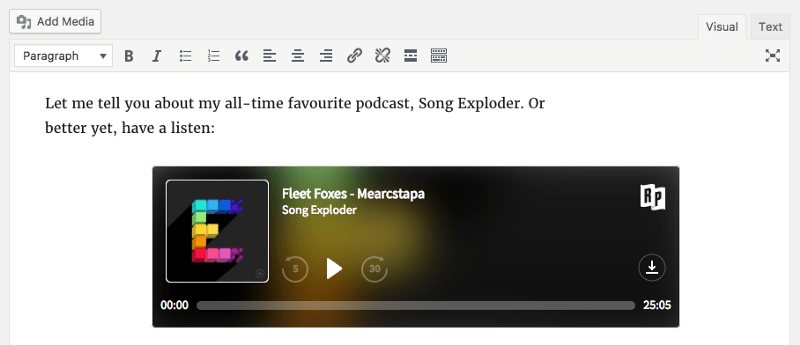

7 Once you’re finished editing your post (or page), click “Publish” or “Update,” and you’re good to go.
That’s it! You’re now a podcast embedding wizard. Pretty sure I can hear your readers applauding from here.
If you run into any problems, drop us a line at help@radiopublic.com and we’ll do our best to help you out.